




Self-Withdrawal Feature Tutorial

By iFortepay
Aug 4, 2026
Product

With the Self-Withdrawal feature, merchants can settle funds to their bank accounts independently. The amount available for settlement is displayed under the Active Balance. Merchants can then withdraw the desired amount, whether in full or partially.
Step-by-Step instructions are displayed below:
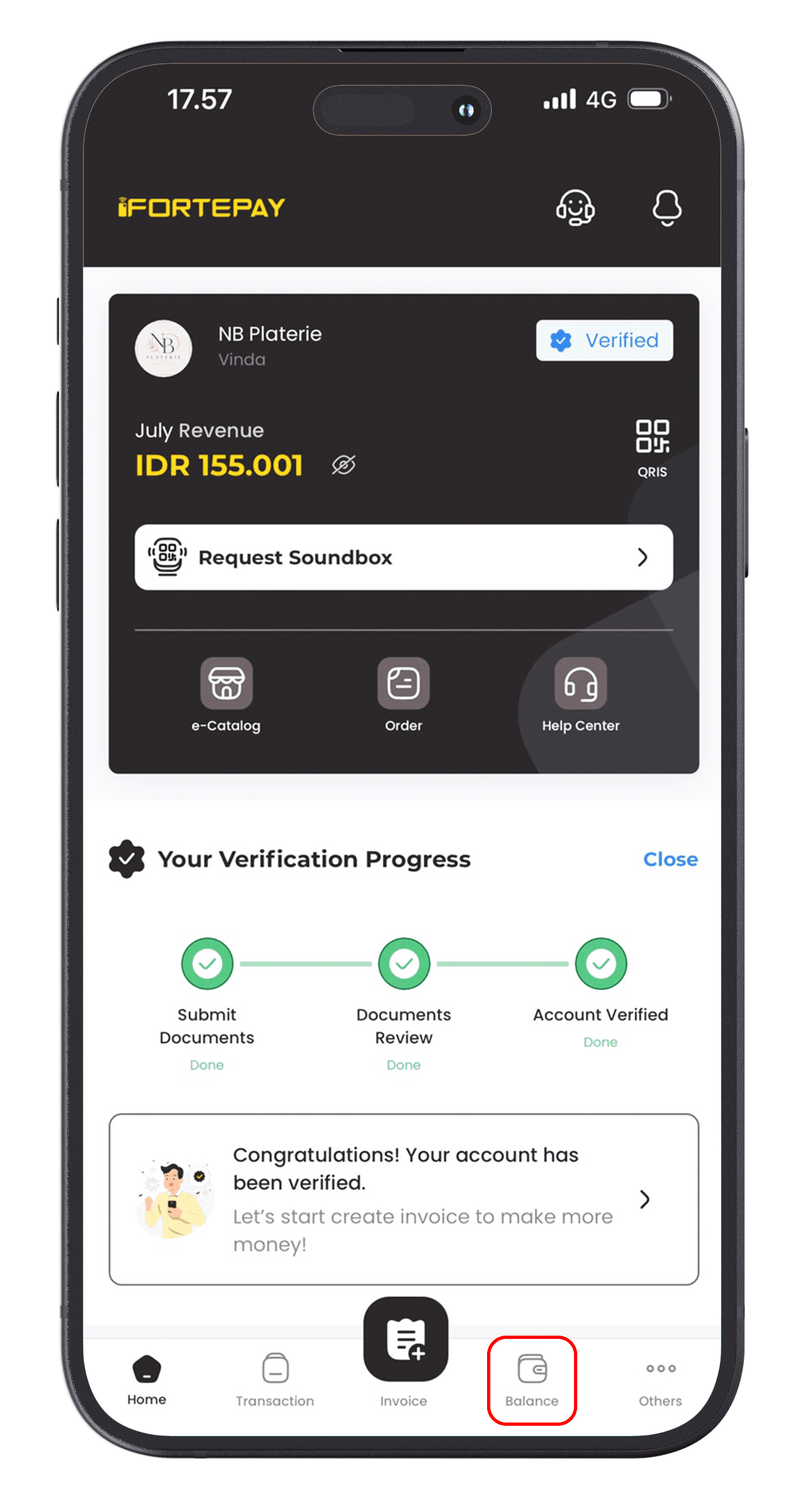
1. From your iFortepay account home screen, click the Balance menu at the bottom right of the screen.
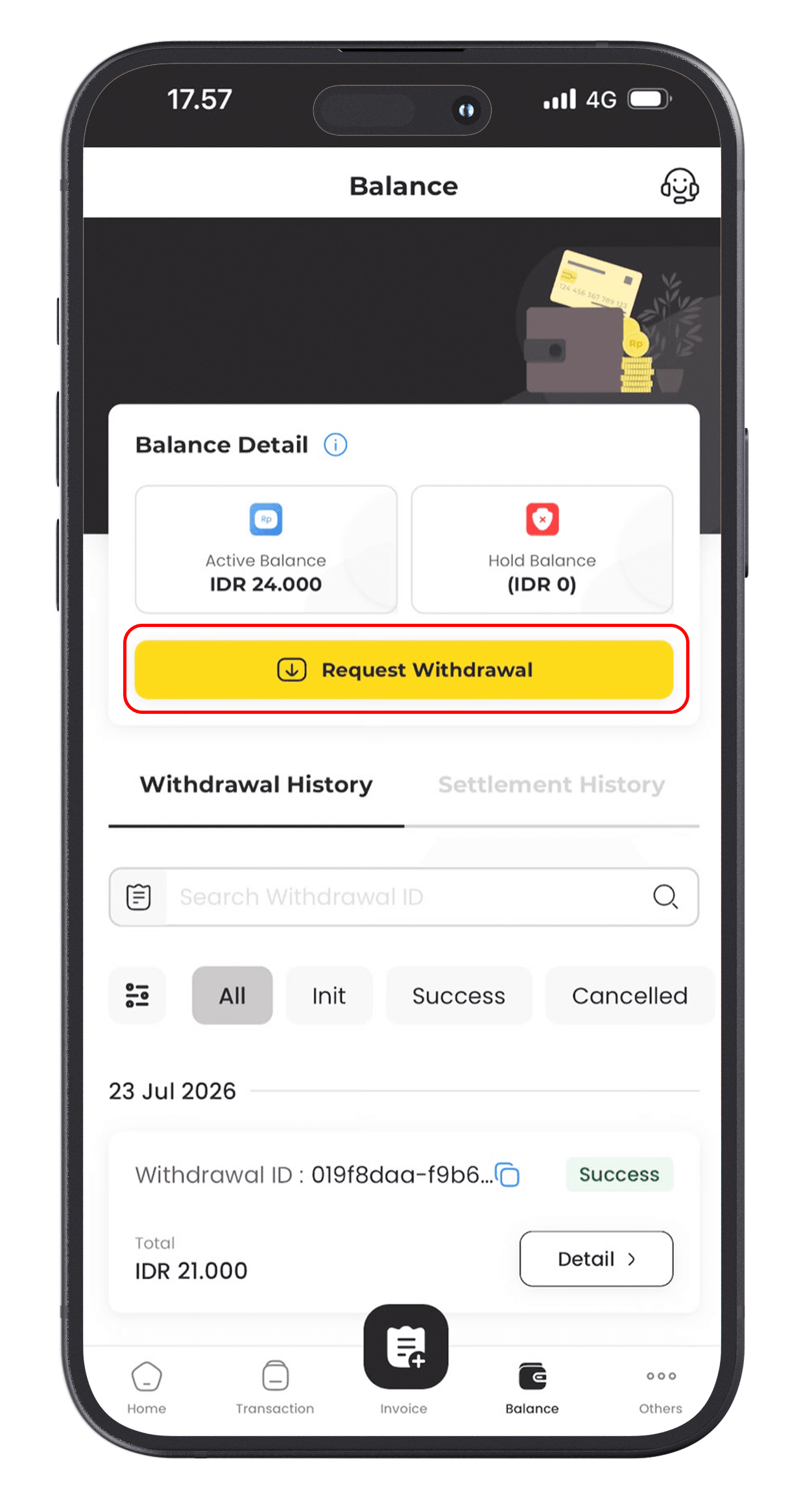
2. Click the Request Withdrawal button.
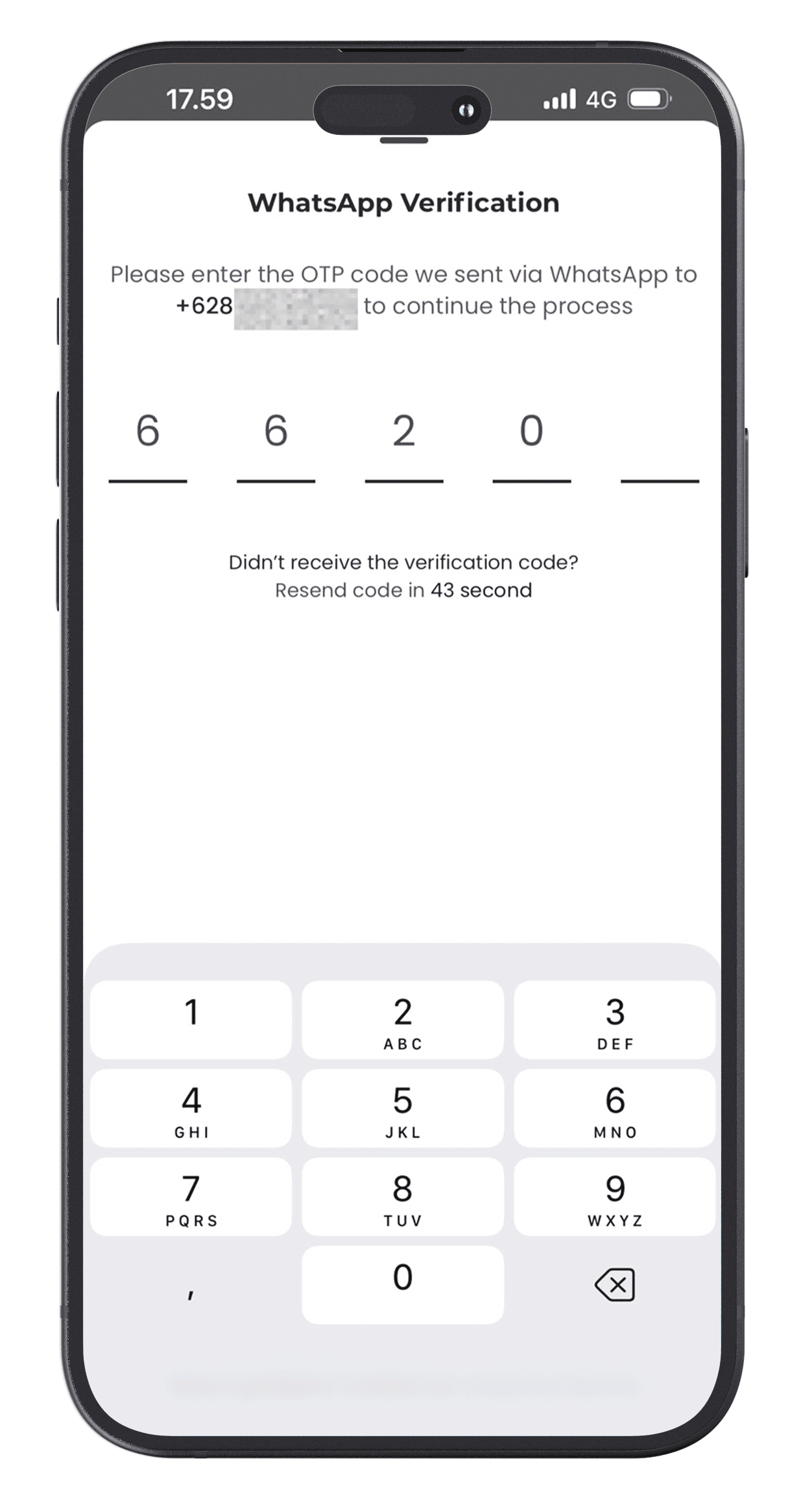
3. Next, enter the 5-digit OTP sent to your WhatsApp.
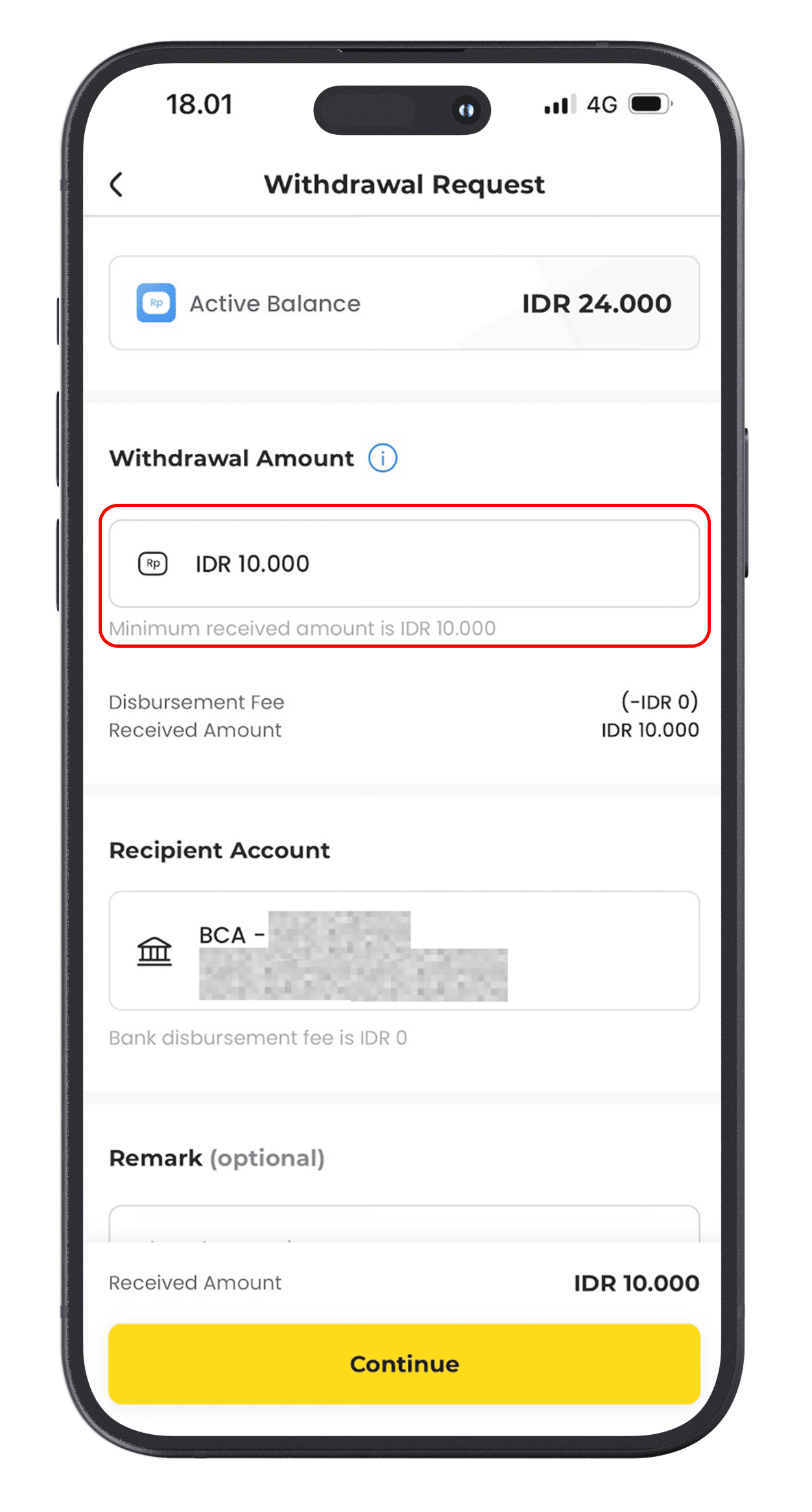
4. Enter the amount you wish to withdraw to your bank account. The maximum withdrawable amount is listed in the Active Balance column. Then, click Continue.
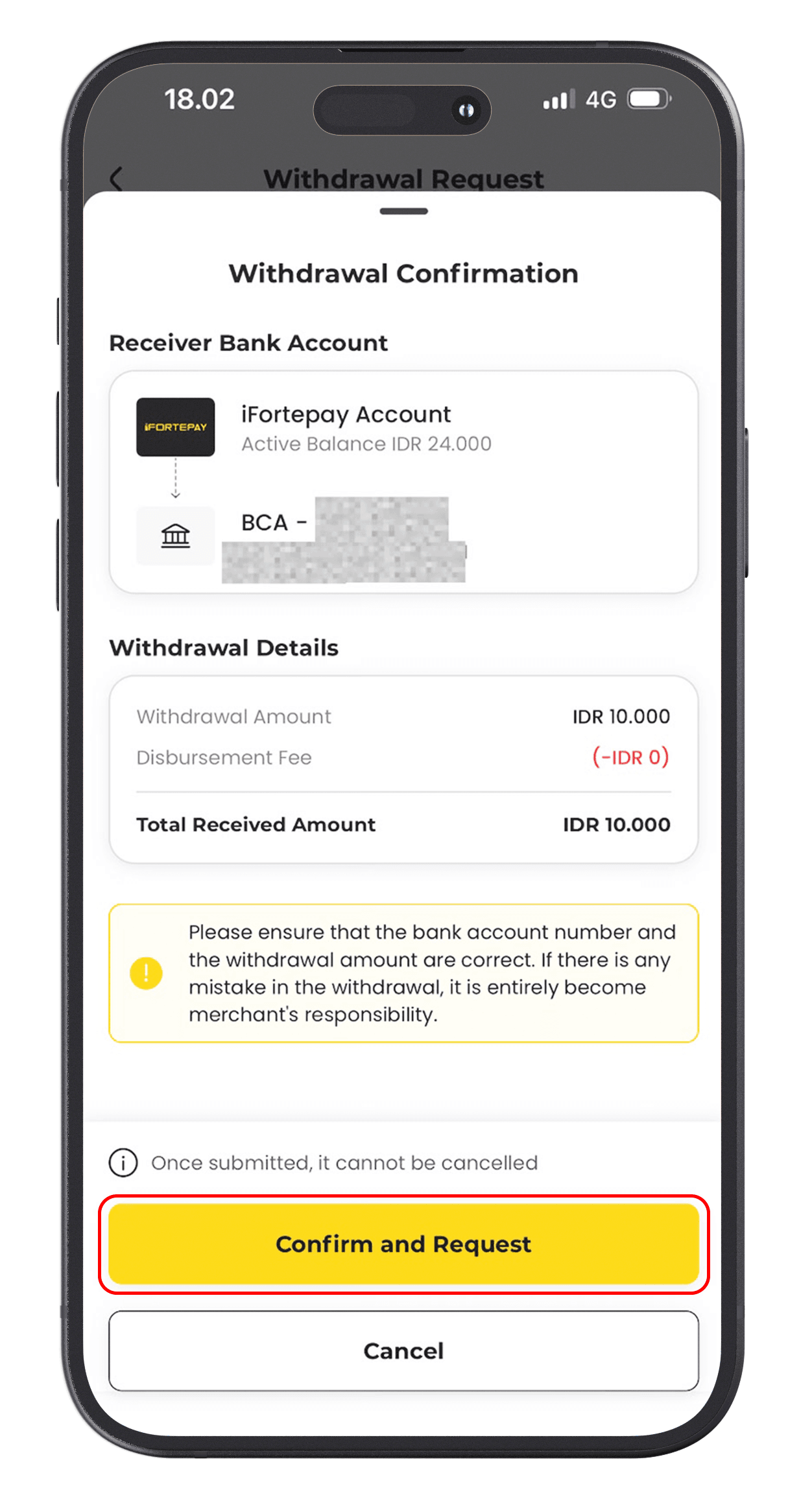
5. Review the withdrawal details displayed on the screen. If everything is correct, click Confirm and Request button.
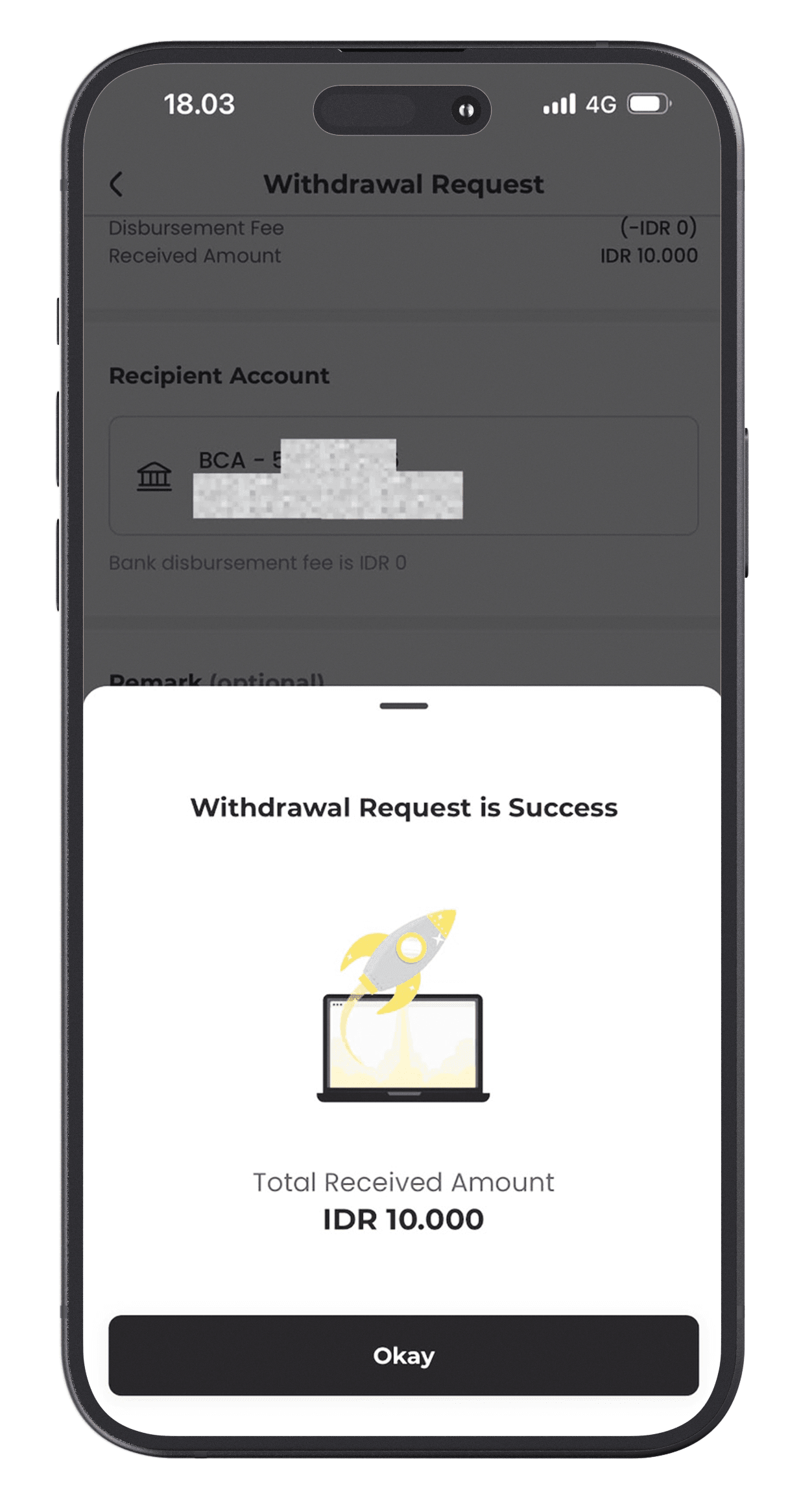
6. Settlement successful!
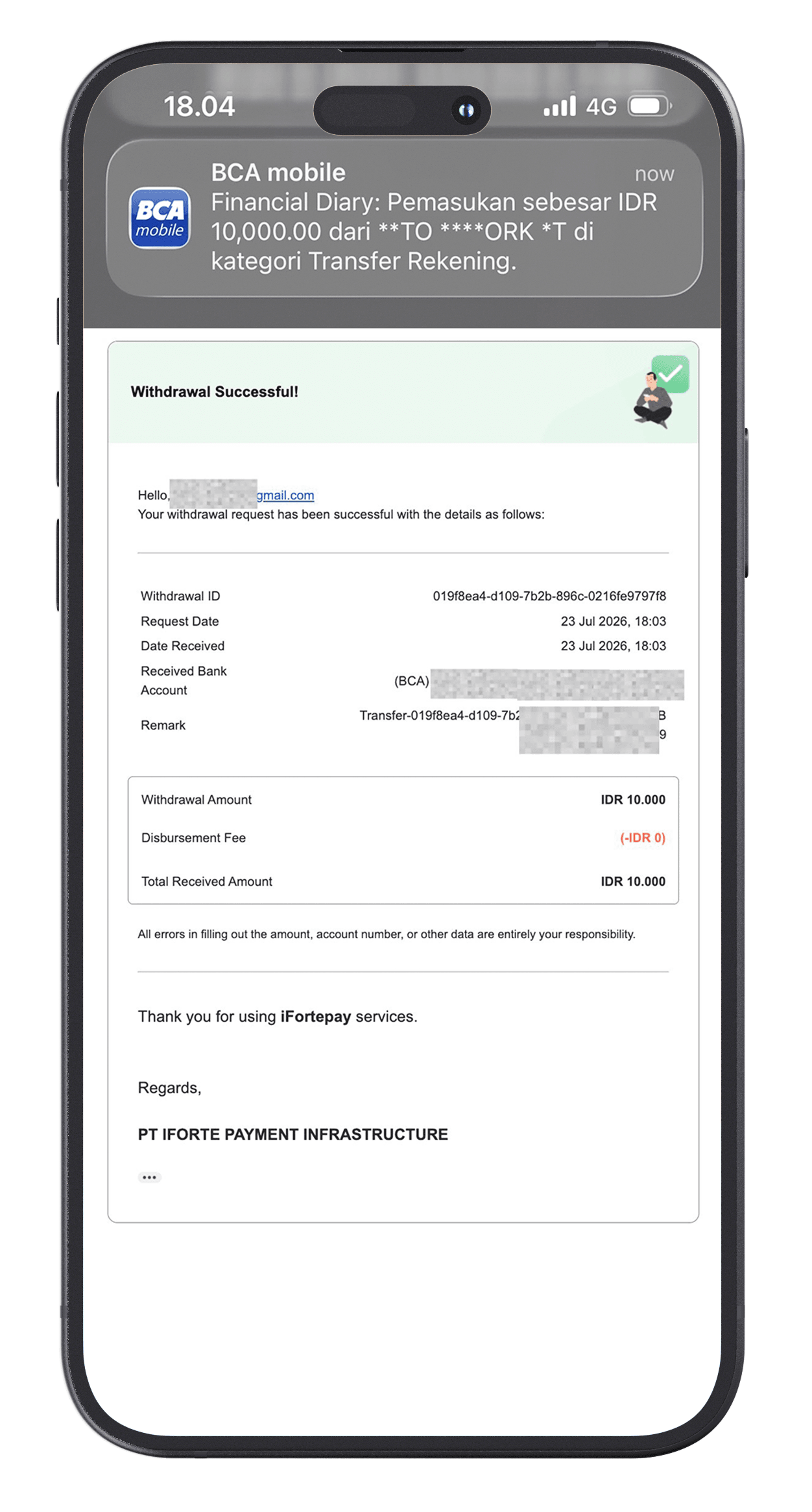
7. Details regarding the fund settlement to your account will be sent to your registered email.
Thank you for using iFortepay services as part of your business transactions. If you have any further questions, please contact our official WhatsApp at 0877-7780-7007.